

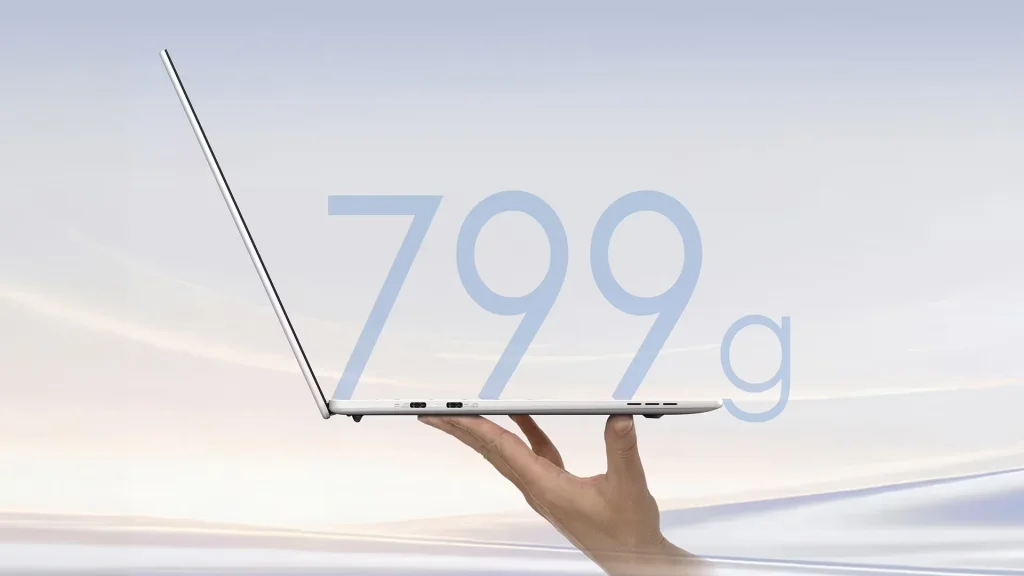
Acer Swift Blade 14: 799 grams for a real Windows PC — breakthrough or compromise?
Listen to this article
Read aloud by your browser. No audio file is downloaded.
Spoken by your browser. This is not a recorded audio file. The time shown is an estimate.
If you are deciding now, keep Acer Swift Blade in view before the price or the spec sheet.
Imagine slipping a laptop into your bag and almost forgetting it is there.
That is exactly the bet Acer is making with the Swift Blade 14, announced on 2 September 2026.
Its most impressive figure is also the easiest to understand:
799 grams.
For comparison, that weight sits closer to a tablet or a small ultraportable than to a real computer Windows machine.
But can a computer this light really replace a classic laptop?
And above all, what do you gain with 799 grams… and what did Acer have to give up to reach that weight?
Our answer
The Acer Swift Blade 14 is above all a computer designed for mobility.
At 799 g, just 12.9 mm thick and with a 14-inch display, it is particularly interesting for people who carry their computer every day.
But it is not a computer designed to replace a gaming machine or a workstation.

⚖️
Exceptional mobility for a computer running Windows, at 14 inches.
📏
A minimal thickness designed for mobility.
🖥️
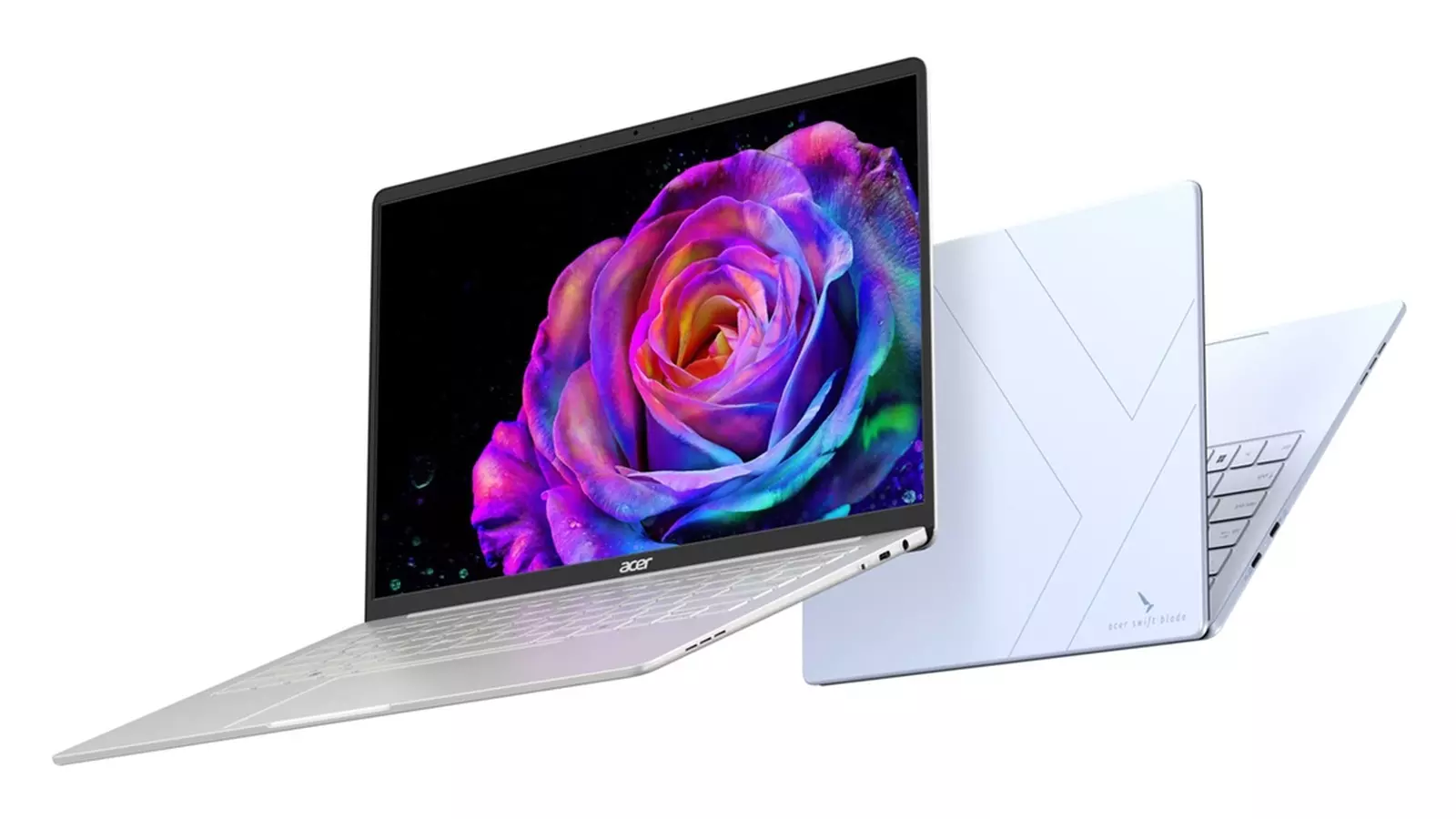
A 14-inch 16:10 panel that can reach 90 Hz and 100% DCI-P3.
🧠
A memory setup that is one of the model’s main compromises.
The most important point to watch is actually quite surprising:
memory is limited to 12 GB of LPDDR5-6400 on the announced configurations.
In other words, the Swift Blade 14 bets heavily on lightness and mobility.
For some people, that will be exactly what they want.
For others, a computer that is a little heavier but better equipped much more interesting.
799 grams: why does this number matter?
A 14-inch laptop is usually much heavier.
Acer announces a weight of 799 grams, with thickness that can go down to 12.9 mm. To get there, the maker uses a combination of
magnesium-aluminium and carbon fibre.
The result is a computer you can comfortably carry all day.
For a student moving between home and university, a sales rep going from one meeting to the next, or a consultant who regularly works in cafes, coworking spaces or different offices, that weight difference becomes very concrete.
It is not just a number on a spec sheet.
700 or 800 grams in a bag, five days a week, really does change how mobile you feel.
The spec sheet of the Acer Swift Blade 14
| Specification | Acer Swift Blade 14 |
|---|---|
| Model | SFB14-53CF |
| System | Windows 11 Home |
| Processor | Up to Intel Core 7 Processor 350 |
| Memory | 12 GB LPDDR5-6400, soldered |
| Storage | Up to 1 TB SSD PCIe Gen 4 NVMe |
| GPU | Intel Graphics |
| Display | 14 inches |
| Best panel | OLED WQXGA+ |
| Maximum resolution | 2880 × 1800 |
| Format | 16:10 |
| Colours | Up to 100% DCI-P3 |
| Refresh rate | Up to 90 Hz |
| Webcam | FHD 2 MP |
| Battery | 50 Wh |
| Wi-Fi | Wi-Fi 6 |
| Bluetooth | 5.3 |
| USB-C | 3 ports USB 3.2 Gen 1 |
| Audio | 3.5 mm headphone jack |
| Weight | 799 g |
| Thickness | From 12.9 mm |
Acer Swift Blade 14 technical sheet
A 3K OLED display in a 799-gram PC
This is probably one of the most interesting parts of the Swift Blade 14.
The high-end configuration offers an OLED display of 2880 × 1800 pixels,
in 16:10, with a claimed coverage of 100% of DCI-P3.
🔍
A very detailed image.
🖤
Deep blacks and high contrast.
📐
More height than a classic 16:9 display.
⚡
Smoother motion and scrolling.
🎨
Useful for photo, video and visual creation.
The 16:10 shape is also very practical for work.
In Word, Excel, Chrome or a development environment, a few extra lines on screen can be more useful than a simple jump in resolution.
But one detail needs care:
not every Swift Blade 14 has the 3K OLED display.
Acer also announces an OLED version at 1920 × 1200 and 60 Hz, and an IPS panel at 1920 × 1200 and 60 Hz.
The exact configuration will therefore matter when you buy.
The Intel Core 7 350 processor: enough for work?
Acer announces the Swift Blade 14 with several processors from the new Intel range,
up to the Core 7 Processor 350.
But this chip has to be read in the context of the computer.
The Swift Blade 14 is not presented as a machine for heavy computing.
Acer positions it mainly around mobile productivity,
everyday work and light creative use.
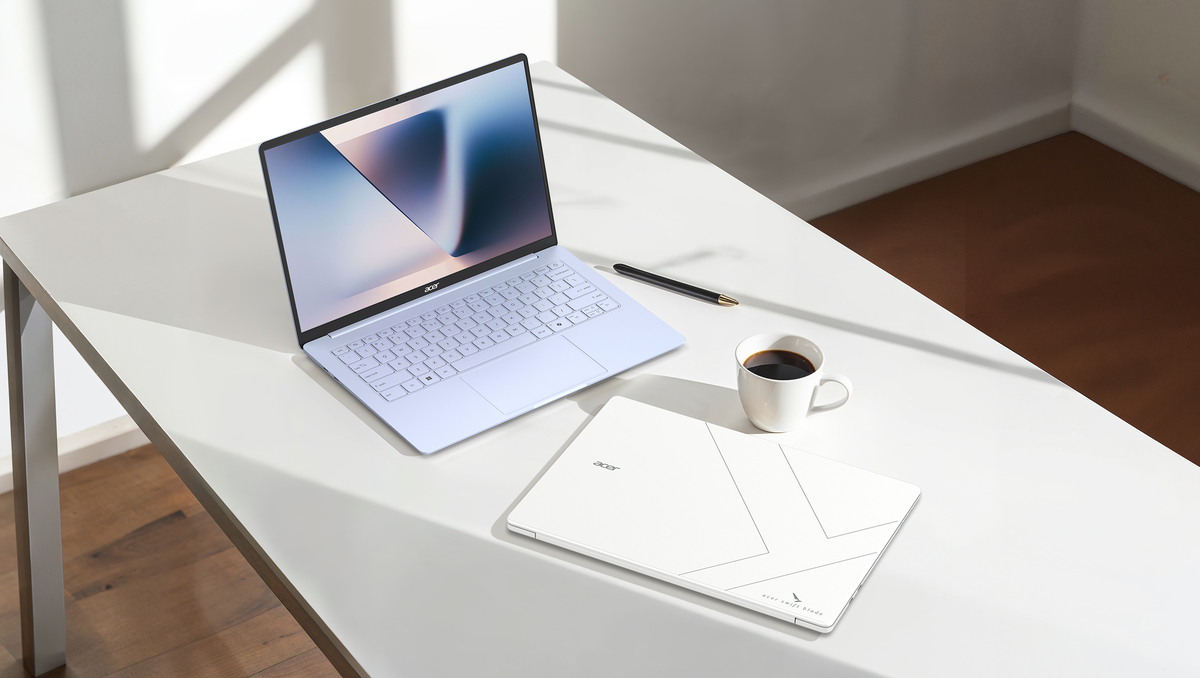
That means its natural ground is more like:
📄
🌐
🎥
📁
💻
📊
🎬
🖼️
🔄
For that kind of use, a modern processor, an NVMe SSD and Windows 11 should feel smooth.
But this is not the computer we would choose first for 3D rendering, heavy video editing or AAA gaming.
The real subject: only 12 GB of RAM
This is probably the point that deserves the most attention.
The Swift Blade 14 is announced with 12 GB of soldered LPDDR5-6400 memory.
For office work, dozens of browser tabs, Teams, Word, Excel and ordinary apps, that can be enough.
But if you are buying a computer in 2026 and plan to keep it for a long time, the question is worth asking.
💻
🌐
🐳
🖥️
🧰
🤖
A developer using several of these tools at once will quickly appreciate more memory.
The same goes for a creator working with several apps open.
And because the memory is soldered, do not treat 12 GB as a setup you can simply upgrade later.
This is therefore probably the Swift Blade 14’s main compromise.
1 TB of SSD: good news
On storage, Acer goes up to 1 TB SSD PCIe Gen 4 NVMe.
That is much more comfortable than 256 or 512 GB if you work with a lot of documents.
For a student or a professional, 1 TB lets you keep, among other things:
📄
📊
📷
💻
📦
🎬
💾
The NVMe SSD also helps the computer overall: Windows startup, launching apps and opening files.
And the 50 Wh battery?
Here again, Acer had to make a compromise.
The Swift Blade 14 has a 50 Wh and supports fast charging.
A larger battery would probably have added weight.
So the choice fits the idea behind the machine.
But do not jump to a conclusion too quickly:
50 Wh does not automatically mean poor battery life.
Real battery life will depend on the processor, brightness, the panel used, how many apps are open and how you work.
A 3K OLED configuration, for example, will not draw on the machine in the same way as an IPS WUXGA configuration.
Acer announces the battery and fast charging, but real tests will be needed before daily battery life can be judged precisely.
Three USB-C ports… but no USB-A port
The Swift Blade 14 has three USB-C 3.2 Gen 1 ports.
Two are announced as multipurpose ports and the third is for data transfer.
It also has a 3.5 mm headphone jack.
That is modern, but it asks for a small adjustment.
🖱️
💾
💽
🔌
If you still use these devices, you will probably need an adapter or a USB-C hub.
For a computer this thin, that compromise is not surprising.
An FHD webcam with a real physical switch
Acer has built in an FHD 2 MP webcam with a physical switch on the chassis.
It is a small detail, but it can matter for professionals.
When the camera is physically switched off, you have an extra hardware sign that it is not merely enabled in software.
For Teams, Zoom or Google Meet, an FHD camera should also be a better fit than a basic low-resolution webcam.
Who should buy the Swift Blade 14?
This is where the computer becomes genuinely interesting.
The right computer is not the one with the most impressive spec sheet.
It is the one that matches how you work.
For a student
The Swift Blade 14 is particularly interesting for a student who moves around a lot.
Picture a typical day:
morning class, then the library, then group work, then a cafe, then home
Carrying a 799 g computer is obviously more pleasant than carrying a heavy machine.
The 16:10 display can also be practical for documents and research.
Student verdict: very interesting if mobility comes first.
For a mobile professional
This is probably the most obvious audience.
Consultant, sales rep, journalist, trainer, manager or freelancer:
if you carry your computer every day, weight becomes an important criterion.
In that context, the Swift Blade 14 makes a lot of sense.
But for intensive professional use, the 12 GB of memory has to be taken into account.
For a developer
The verdict is more nuanced.
The processor and the SSD can suit many development environments.
But 12 GB of RAM can become a limit for developers who use Docker, several IDEs, virtual machines or AI tools at the same time.
For this profile, a computer with 16 or 32 GB more interesting over the long term.
For a creator
The 3K OLED panel can be very appealing for visual creation.
But two things have to be kept apart:
screen quality is not graphics power
The Swift Blade 14 uses integrated Intel graphics.
It is therefore not meant to replace a computer with a dedicated NVIDIA GPU for 3D rendering, large video projects or some professional workflows.
For a gamer
This is clearly not its priority.
If you want to play seriously, look at a computer with a dedicated GPU.
The ASUS TUF Gaming A14 2026 FA401GM mentioned in the article has a Ryzen AI 9 HX 370, an 8 GB GeForce RTX 5070 Laptop GPU, 32 GB of RAM and a 165 Hz WQXGA display.
It weighs about 1.46 kg according to the information in the article.
That is almost twice the weight of the Swift Blade 14.
But you also get a machine that plays in a completely different performance class.
So the choice is simple: extreme mobility, or graphics power.
Swift Blade 14 or Acer Aspire 14 AI?
This is probably a much more interesting comparison for a buyer in Morocco.
The Acer Aspire 14 AI Core Ultra 5 226V presented in the article offers 16 GB of LPDDR5X, a 512 GB SSD, a 14-inch OLED display and a dedicated NPU.
The page shown also lists a 65 Wh battery and a weight of 1.40 kg.
| Acer Swift Blade 14 | Acer Aspire 14 AI |
|---|---|
| Weight | 799 g |
| Display | Up to 3K OLED |
| RAM | 12 GB |
| Storage | Up to 1 TB |
| NPU | Depends on the platform |
| Battery | 50 Wh |
| Format | 14″ |
| Priority | Extreme mobility |
| Ideal use | Frequent travel |
The difference is, in the end, very simple.
The Swift Blade 14 is trying to be incredibly light.
The Aspire 14 AI looks more for a balance of mobility, memory, battery life and AI features.
For someone who carries a computer all day, 799 g can justify the Swift Blade.
For someone who wants a more versatile machine, the Aspire 14 AI’s 16 GB of RAM and 65 Wh battery are important arguments.
Swift Blade 14 or Acer TravelMate P2 15?
The Acer TravelMate P2 15 represents another philosophy.
It carries an Intel Core 7 150U, 16 GB of DDR5 RAM and a 1 TB SSD,
with a 15.6-inch Full HD display.
It also offers much fuller connectivity, including Thunderbolt 4 and RJ45 Ethernet.
Its announced weight starts at 1.62 kg.
| Swift Blade 14 | TravelMate P2 15 |
|---|---|
| Weight | 799 g |
| Display | 14″ |
| RAM | 12 GB |
| Storage | Up to 1 TB |
| Ethernet | No |
| Thunderbolt | No |
| Format | Ultra-compact |
| Priority | Mobility |
For a professional who often works at a desk and needs ports, a larger display and 16 GB of RAM, the TravelMate can be more logical.
For someone who spends the day with a computer in a bag, the Swift Blade completely changes the priority.
Swift Blade 14 or TUF Gaming A14?
This comparison shows perfectly why you should not choose a PC on the processor alone.
The TUF Gaming A14 FA401GM presented in the article is much heavier, but it has an RTX 5070 Laptop GPU, 32 GB of RAM and a 165 Hz WQXGA display.
| Swift Blade 14 | TUF Gaming A14 |
|---|---|
| Weight | 799 g |
| GPU | Intel Graphics |
| RAM | 12 GB |
| Display | Up to 90 Hz OLED |
| Gaming | Limited |
| Heavy creation | Limited |
| Mobility | Exceptional |
These are almost opposite philosophies.
The Swift Blade says:
“I want to be able to carry my computer everywhere.”
The TUF says:
“I want to be able to work and play with a lot of power.”
So there is not really a winner.
There is simply the computer that fits your need.
What Acer actually got right
The most interesting thing about the Swift Blade 14 may not be its processor.
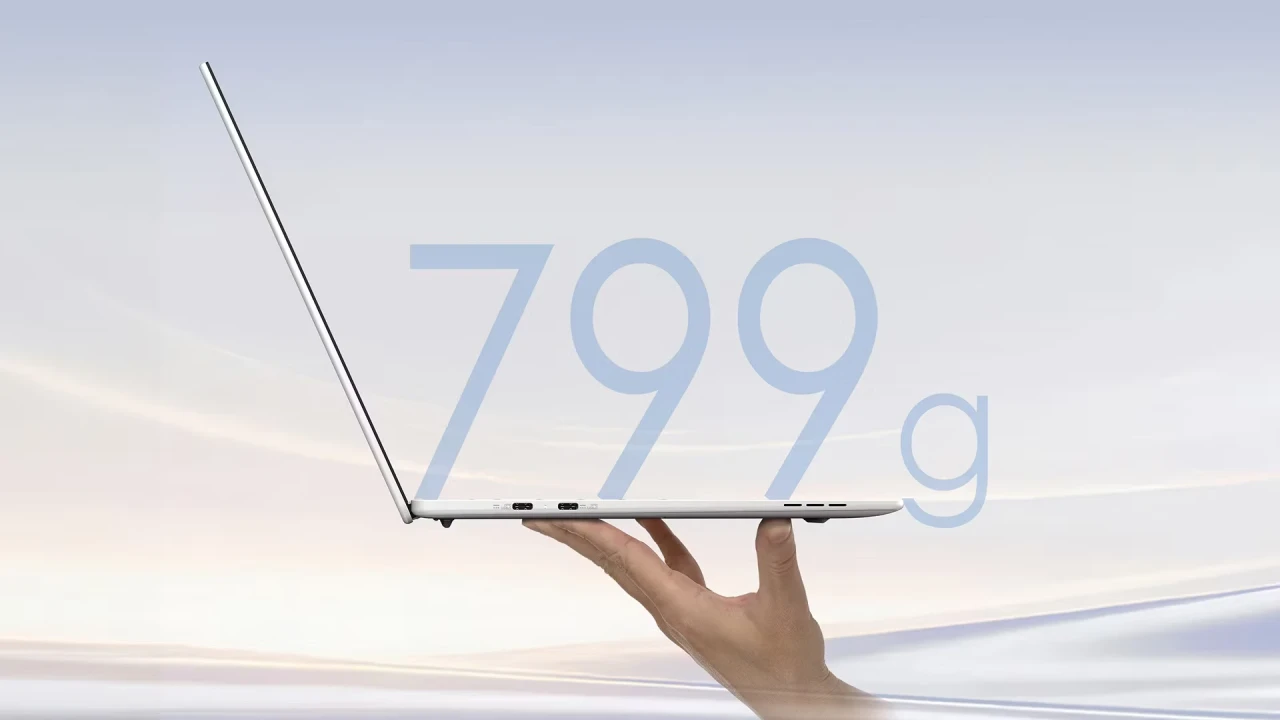
It is that Acer manages to fit into a device of 799 grams :
🖥️
🪟
⚙️
💾
📷
🔌
🔋
🎨
Acer clearly presents the Swift Blade as a machine for mobile productivity.
So this is more a demonstration of what an ultra-mobile laptop can become than a universal PC.
But here are the compromises to know
⚠️
This is probably its main weakness for long-term use.
🎮
It does not replace a gaming PC or a creation workstation.
🔋
The very low weight inevitably imposes some compromises.
🔌
People with a lot of USB-A devices will probably need an adapter.
💰
Price and configurations will depend on the markets.
Acer announces availability in EMEA from December 2026,
but notes that prices and configurations will depend on the markets.
For Morocco, we will have to wait to see the configuration that is actually sold and its local price before knowing whether the Swift Blade is a good deal.
Should you wait for the Swift Blade 14 in Morocco?
If you are looking for a laptop right now, you do not necessarily have to wait.
It depends on what you need.
If you want maximum mobility, the Swift Blade 14 clearly deserves to be watched.
If you need more RAM and a versatile machine, a PC that is already available may be more logical.
For a professional who prioritises ports, storage and working comfort, the TravelMate P2 15 is a completely different approach.
And for gaming or heavy creation, a TUF Gaming A14 with a dedicated NVIDIA GPU is a much better fit.
Our Global Zone view
The Acer Swift Blade 14 is an interesting new machine because it answers a very concrete problem: the weight of laptops.
799 grams is not only a marketing line.
For someone who carries a PC every day, it is a real difference.
Its 3K OLED display, its 16:10 shape and its SSD of up to 1 TB add to the interest.
But Acer had to make choices.
The 12 GB of RAM, the lack of a dedicated GPU and the 50 Wh battery that the Swift Blade 14 was not designed to beat every other PC on every front.
And that is probably the right decision.
A mobile student does not have the same needs as a video editor.
A sales rep does not have the same needs as a gamer.
A developer does not have the same needs as a graphic designer.
So the Swift Blade 14 is above all a machine for people who put
mobility ahead of raw power.
Verdict: should you choose the Acer Swift Blade 14?
✅
Yes, if you are looking for:
a very light PC;
a real Windows 11 machine in a compact shape;
a 14-inch display;
excellent mobility;
a quality OLED display;
a computer to carry every day;
a machine for study, office work and mobile work.
⚠️
Be more cautious if you are looking for:
32 GB of RAM;
gaming;
heavy video editing;
3D;
demanding on-device AI;
a lot of classic ports;
a highly upgradable professional machine.
In one sentence
The Acer Swift Blade 14 is not trying to be the most powerful laptop :
it is trying to be the one you notice least in your bag.
And with only 799 grams, Acer has clearly just set the bar very high on mobility.
So the real question, when it arrives in Morocco, will not only be:
“Is it powerful?”
But rather:
“Are its compromises worth it for that much lightness?”
For very mobile users, the answer could be yes.
FAQ — Acer Swift Blade 14
What does the Acer Swift Blade 14 weigh?
The Swift Blade 14 has an announced weight of 799 grams,
which is its main argument for mobility.
How big is the Swift Blade 14 display?
The Swift Blade 14 has a 14-inch display in 16:10.
Acer announces several configurations, including IPS and OLED models.
Does the Acer Swift Blade 14 have an OLED display?
Yes. Some configurations offer an OLED panel, with a version up to
2880 × 1800 pixels, 90 Hz et 100 % DCI-P3.
How much RAM does the Swift Blade 14 have?
The announced configurations have 12 GB of soldered LPDDR5-6400.
This memory is one of the model’s main compromises.
Is the Swift Blade 14 suitable for gaming?
It is not designed as a gaming PC. It uses integrated Intel graphics and aims mainly at mobile productivity and everyday tasks.
Is the Swift Blade 14 suitable for developers?
It can suit light to moderate development, but 12 GB of RAM can become a limit for environments that use Docker, several IDEs, virtual machines or several AI tools at once.
What is the maximum storage?
Acer announces up to 1 TB SSD PCIe Gen 4 NVMe.
What is the battery capacity?
The Swift Blade 14 has a 50 Wh and supports fast charging.
Real battery life will have to be checked in tests.
Does the Swift Blade 14 have a USB-A port?
The model has three USB-C 3.2 Gen 1 ports and a 3.5 mm headphone jack.
People who need USB-A devices may therefore need an adapter or a hub.
When will the Acer Swift Blade 14 be available in Morocco?
Acer announces availability in EMEA from December 2026.
The configuration and price actually available in Morocco will have to be confirmed when it goes on sale.
Who is the Swift Blade 14 mainly for?
It is aimed mainly at students, mobile professionals, consultants, sales reps and anyone who puts mobility and low weight first.
Microsoft — Warranty, stock and after-sales support matter as much as Acer Swift Blade itself.
A careful look at Acer Swift Blade avoids paying for a feature you will not use.
Global Zone customers usually ask about Acer Swift Blade when they compare two close options.
Treat Acer Swift Blade as one criterion next to battery life, noise, weight and updates.
Nothing in Acer Swift Blade replaces checking the exact model number on the box.
For a shop in Morocco, Acer Swift Blade should be read together with local availability.
If you are deciding now, keep Acer Swift Blade in view before the price or the spec sheet.
The useful reading of Acer Swift Blade is what changes for a buyer in Morocco, not the slogan.
Warranty, stock and after-sales support matter as much as Acer Swift Blade itself.
A careful look at Acer Swift Blade avoids paying for a feature you will not use.
Global Zone customers usually ask about Acer Swift Blade when they compare two close options.
Treat Acer Swift Blade as one criterion next to battery life, noise, weight and updates.
Nothing in Acer Swift Blade replaces checking the exact model number on the box.
For a shop in Morocco, Acer Swift Blade should be read together with local availability.
If you are deciding now, keep Acer Swift Blade in view before the price or the spec sheet.
The useful reading of Acer Swift Blade is what changes for a buyer in Morocco, not the slogan.
Warranty, stock and after-sales support matter as much as Acer Swift Blade itself.
A careful look at Acer Swift Blade avoids paying for a feature you will not use.
Global Zone customers usually ask about Acer Swift Blade when they compare two close options.
Treat Acer Swift Blade as one criterion next to battery life, noise, weight and updates.
Nothing in Acer Swift Blade replaces checking the exact model number on the box.
Avis des lecteurs
Votre avis compte
Partagez votre expérience et aidez d’autres lecteurs à mieux comprendre ce sujet.
Soyez le premier à donner votre avis.

